창고 · 3 분 분량
Prep and label workflows need version control
FBA prep mistakes usually come from stale instructions. Treat prep and label rules like controlled operating procedures with owner review.
작성: Kenderson Tripaldi · May 4, 2026
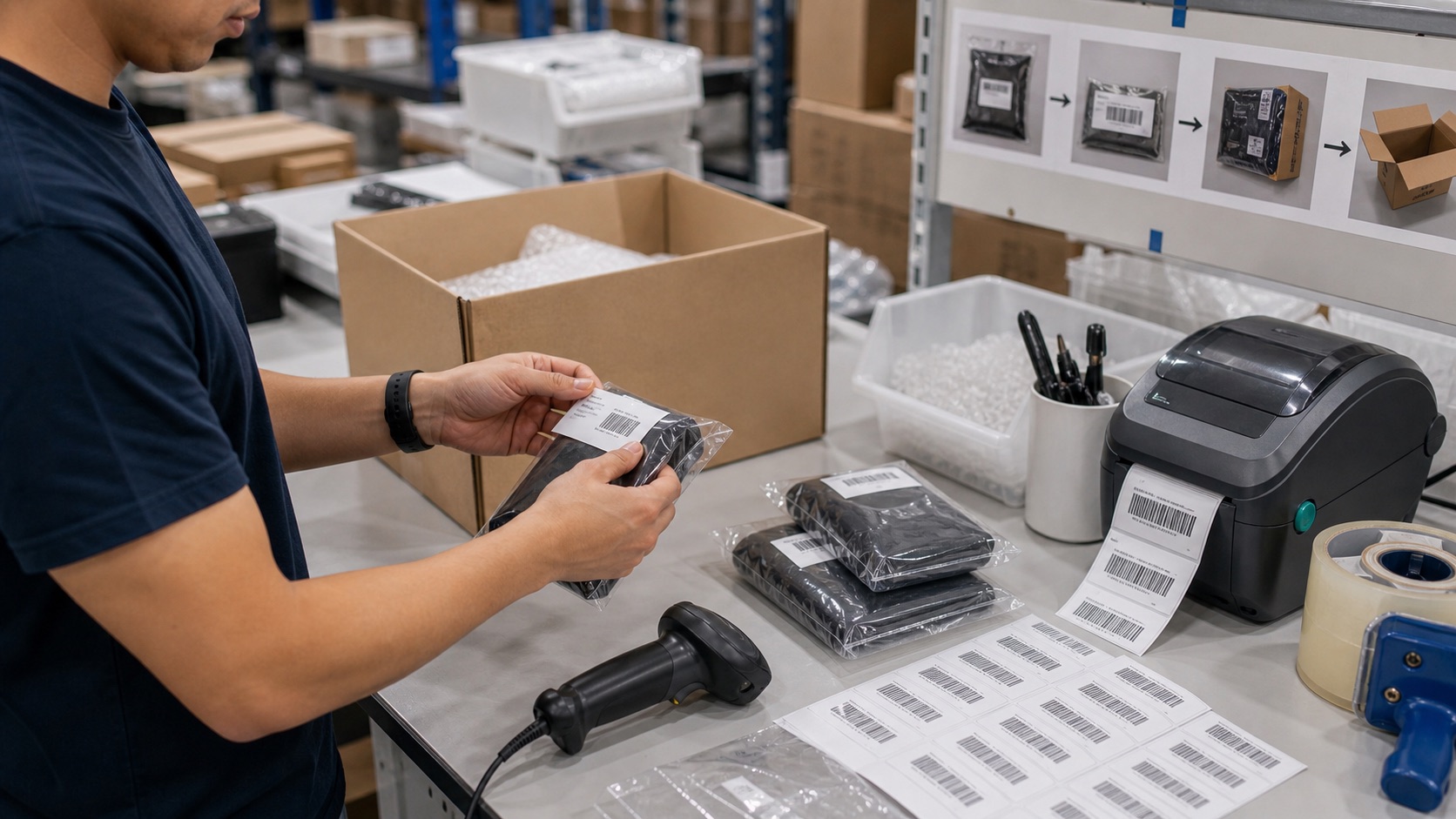
Prep and label errors rarely happen because someone did not care. They happen because the warehouse is using yesterday's rule. A SKU moves from stickerless to FNSKU labeling, a fragile item needs bagging, an apparel item needs a suffocation warning, or a bundle changes. If the pick-and-pack screen does not reflect the current rule, the operator has no chance.
Treat prep and labels like version-controlled operating procedures.
Put rules at the SKU level
Every SKU should have explicit prep attributes: label owner, FNSKU requirement, polybag requirement, bubble wrap, expiration date handling, set/bundle treatment, carton orientation, and any marketplace-specific notes. Avoid free-text-only instructions. Structured fields can block bad actions and produce better checklists.
Require review on change
When a listing, supplier pack, or marketplace requirement changes, create a prep-rule review. The owner should confirm the physical process, not just update a field. If the warehouse needs new labels, bag sizes, or station supplies, that should be part of the change.
Show only the instruction that matters
Operators do not need a policy manual at the station. They need the next required action: scan unit, apply FNSKU, bag, add warning label, place in carton. Keep the screen short and enforce the sequence.
Audit exceptions
Track relabels, rework, Amazon prep charges, and receiving defects by SKU. If a SKU repeatedly creates prep exceptions, the rule is wrong, the supplier packaging is wrong, or the station needs better controls.
Prep quality improves when instructions are current, structured, and enforced at the moment of work.
Keep a change history
Every prep rule should show what changed, who approved it, when it became active, and why. That history matters when Amazon charges unplanned prep, when a shipment arrives with defects, or when an operator asks why a SKU suddenly needs a different label. Without version history, the team can only guess whether the warehouse made a mistake or the rule changed after the work was done.
Change history also protects training. If a rule changed because supplier packaging changed, the warehouse may need photos of the new packaging. If a rule changed because Amazon enforced a new requirement, the catalog owner may need to confirm that all future inbound plans use the new process.
Audit the first shipment after a change
The first shipment after a prep change deserves extra attention. Review scan exceptions, relabels, Amazon receiving defects, and any prep charges tied to the SKU. If the first shipment is clean, the rule can become normal. If it creates exceptions, fix the instruction before the mistake repeats across more inventory.
This makes prep changes safer. The team can move quickly when requirements change, but it still has a control that confirms the new instruction worked in the real warehouse flow.
Keep station supplies aligned
A rule change is incomplete if the station does not have the supplies to execute it. Polybags, suffocation warnings, bubble wrap, FNSKU labels, thermal printer stock, and expiration-date labels should be checked before the first shipment uses the new instruction. Otherwise the operator will improvise, and the improvised process becomes the real process.
The owner of the change should confirm both the digital rule and the physical bench setup. This is a small control, but it prevents many prep defects that look like training failures when the root cause was missing materials.
Use rework as the signal
Track how many units are relabeled, rebundled, rebagged, or pulled from boxes after the first scan. Rework is the leading indicator that a prep rule is unclear or stale. If rework rises after a rule update, pause and fix the instruction before the next shipment scales the error.
계속 읽기
관련 게시글

창고 · 3 분 분량
Multi-location stock control for FBA sellers
FBA sellers with prep centers, warehouses, and Amazon stock need one reservation model. Without it, inbound plans overpromise units.
창고 · 4 분 분량
How MarginLock packs your shipments without rebox loops
A walkthrough of MarginLock's bin-packing engine, why we optimize for cube fill rather than count, and how it eliminates Amazon's most common rebox triggers.

컴플라이언스 · 3 분 분량
Build a box compliance scorecard before Amazon charges you
Box compliance should be measured before pickup. Track weight, category mixing, dimensions, labels, and evidence at carton level.